How to Optimize Your Lead Capture Forms for More Aligned Inquiries

Hello, darling! Welcome to Le Blog. This is the place to be if you’re looking to elevate your client experience this year. My name is Chloe, and I’m a client relationship strategist—which means I help create a seamless back-end system for small business owners who want clients to actually enjoy working with them. My job is to eliminate the clunky, unnecessary steps that eat away at your time.
Today, I want to talk about lead capture forms– the forms that collect information from potential clients so you can actually follow up with them (and hopefully book them!). If you don’t have a lead capture form… pull up a chair, because I’m about to convince you that you need one. If you do have a lead capture form, stick around, because I’m willing to bet it isn’t pulling its weight.
Get comfy, put on some focus-enhancing music, and pour yourself a warm drink. We’re about to get into it.
What is a Lead Capture Form?
A lead capture form collects information from a new lead and automatically feeds it to your CRM. You might have a version of this already, but if you still find yourself copying and pasting information from the form into your CRM, you’re not using it to its full potential. But don’t worry, darling! I’m going to show you how to get the very most out of this form.
Most people use a form through their website hosting platform (Squarespace, Showit, etc). When someone fills it out, your website will usually email you. Assuming you have time in the moment, you drop everything you’re doing to input the info into your CRM and then respond to the lead.
But what if you’re shooting a wedding all day Saturday and someone inquires at 2 PM? You’re definitely not stopping mid-ceremony to respond! You probably won’t even see it until the next day. And that whole time, your lead is sitting there wondering if you even got their message– getting colder by the hour.
That’s why you need a lead capture form built within your CRM. When you embed it on your website, the info autopopulates in your CRM, and you can send an automated response. Now, your lead knows you’ve received their info and that you’re excited to connect with them. This saves time, minimizes mistakes (because typos are real, and they will ruin you), and you finally get to stop dreading inquiries! Because inquiries are a good thing– especially when you have the systems in place to receive them.
Why Lead Capture Forms are So Important
This section could go on and on, but I’ve narrowed it down to the four most important reasons I recommend a lead capture form. Ready?
- Time is Money, Daring
You’re a small business owner. You know how valuable your time is. So let me paint you a picture: without a proper lead capture form, you’re spending 15 minutes per inquiry just copying and pasting information into your CRM before you can even respond.
- Lead Qualification
Your lead capture form should pre-qualify inquiries based on budget, timeline, and booking stage. When you have strategic questions on your form (we’ll get to those in a bit!), you can stop wasting calls on people who were never going to hire you. With an optimized form, your qualified leads self-select in, and your unqualified leads self-select out.
- Professional First Impression
A polished, branded form tells leads you have your shit together. A generic website form? Amateur hour. The first touchpoint sets the tone for everything! If you’re trying to level up your business this year, you should start with your lead capture form.
- A Foundation for Automations
This is a huge piece of the puzzle. Lead form submission triggers your entire workflow. From this simple form, you can automatically send welcome emails, price guides, and follow-ups. Your client journey starts without you needing to do a thing!
How to Optimize Your Lead Capture Form
The number one rule of optimizing your lead capture form is to keep it short and sweet. If your form is too long, people will either DM you (best case scenario) or abandon the idea of working with you altogether (worst case scenario). If you want a strategic, optimized lead capture form, every question must earn its place. So here’s what to include!
Names
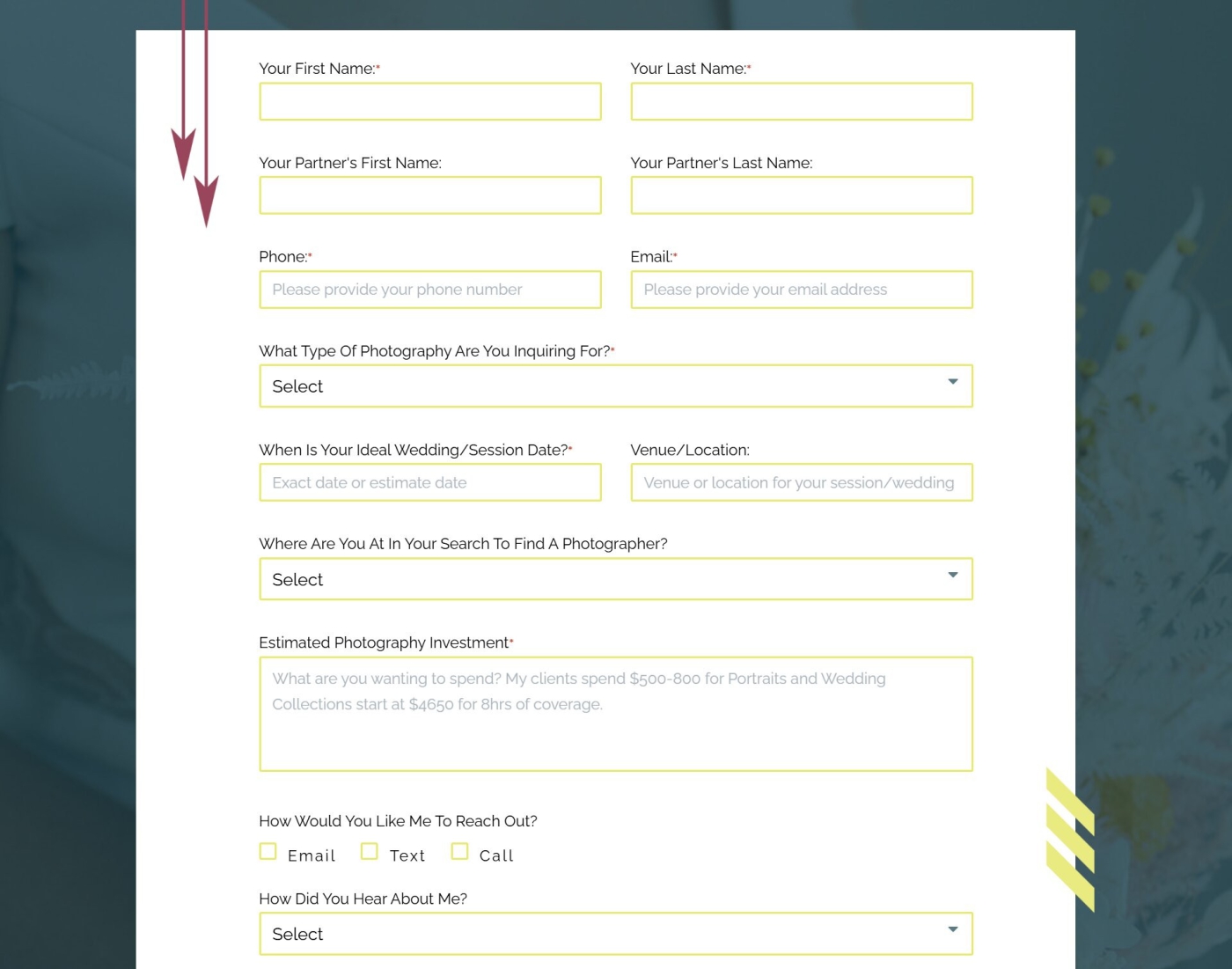
If you want to make it in the wedding industry, you’ve got to do this right. Don’t designate those spaces with “Bride’s Name” and “Groom’s Name.” This is 2026. Inclusivity is the baseline. I encourage you to use “Your Name” and “Your Partner’s Name.” Couples notice this type of language immediately!
Essential Info
There’s some info that you obviously need to collect. Put this towards the top! I recommend including these sections:
- Event date (maps to Job Start Date)
- Event location (maps to Job Location)
- Email (primary contact)
- Phone (optional—not everyone wants to give it upfront)
- How they heard about you (track your marketing ROI)
Budget
Your lead capture form isn’t just blank boxes couples have to fill in. Get strategic with dropdowns and multiple choice questions! I recommend making the budget section a dropdown menu with ranges. Pre-fill these options with your package tiers as ranges. For example, you might have a package that ranges from $3,500-$5,000, another in the $5,000-$7,500 range, and then the biggest packages at $7,500+. By including these ranges right in the form, you’re normalizing your pricing before they even see your full packages, and couples who can’t afford you will self-select out before you waste time on a call.
Booking Stage
Don’t be afraid to ask where your couples are in the booking process! This is important information for you. Pre-fill the options so you can get a clear idea.
- Just looking
- Actively price shopping
- Pretty sure, but I have some questions
- I know I want to work with you!
This tells you how warm the lead is and helps you prioritize follow-ups.
This is it! This is all the information you need to get to know your lead. Leave out anything that creates unnecessary friction and long essay questions for the post-booking questionnaire. Here’s the thing: couples don’t want to write you a novel about their love story when they’re not even sure they’re hiring you yet. Your lead capture form is to collect the info you absolutely need before your first call. Save the juicy details for the call!
Where to Put Your Form
Okay, this section might ruffle some feathers, so buckle up. Here are the most important places to put your lead capture form, and in this order!
- Your social media
- Your CRM (aka, where you manage your business)
- Your website. (Yes, this is number three)
Of course, place your lead capture form anywhere your clients hang out. But definitely put it in your social media bio. Most clients discover you via Instagram, not Google. Making it easier to inquire leads to more inquiries. And the fewer clicks it takes to actually get to your form means there are fewer chances that your lead gets distracted.
Want to hear the real plot twist? You don’t even need a website if you have a lead capture form! Both Dubsado and Honeybook forms can be standalone pages with their own URL. They look like mini websites and are self-hosted.
If you do have a website, be sure to embed your form on your contact page! And beyond that, include your form in your IG link in bio, your story highlights, your Facebook business page, email signature, portfolio captions, and anywhere you’re likely to find your ideal clients.
What Happens Once an Inquiry Completes Your Form
Okay, now you have your beautiful optimized lead capture form in front of your clients. So what actually happens once someone fills it out?
The Auto Response
After someone fills out your form, wait 15 minutes before your CRM sends the auto-response. This feels intentional and personal–like you actually took a moment to read their inquiry–instead of robotic and instant. And it’s still within a reasonable window that confirms you received their inquiry, so they feel seen and valued!
What to Include in the Auto Response
This is your first direct communication with your lead so make it warm and chatty. Throw in some emojis, for crying out loud. Include a sentence about checking your availability for their date and let them know when to expect a response from you (usually between 24 and 48 hours). And then include a link to a free resource! This can be your portfolio, price guide, blog, or even your Instagram. Give them something to explore and a way to learn more about you while they wait for your next message.
What Not to Include in Your Auto Response
Your CRM cannot check your calendar for you, so don’t include your availability just yet. Remember, this is automated, so you’re sending this without viewing the inquiry! Make sure your language isn’t too committed. You might even choose to leave your package details for the personalized follow-up, so you have a chance to connect more intentionally before getting into the details!
A Personalized Follow-Up
This is the step after sending the automated response. Within 24 to 48 hours, check your calendar. If you’re not free on their date, let them know immediately! You can even send them a few recommendations of people they could work with instead.
But if you are available, send them a personal email that confirms your availability. Be sure to reference specific details from the lead capture form so they know you’ve read it, and send them a call link or proposal. Your automated response gave you time to read over the inquiry in your own time, so you can send a dedicated, thoughtful response.
Intentional, Strategic Lead Capture Form Optimization
Listen, darling. Your inquiry form is the foundation of your entire client experience. Keep it short, keep it accessible, and for the love of all things holy, set up that auto-response. If you’re still manually copying inquiry details into your CRM, you’re working way too hard. Let’s fix that.
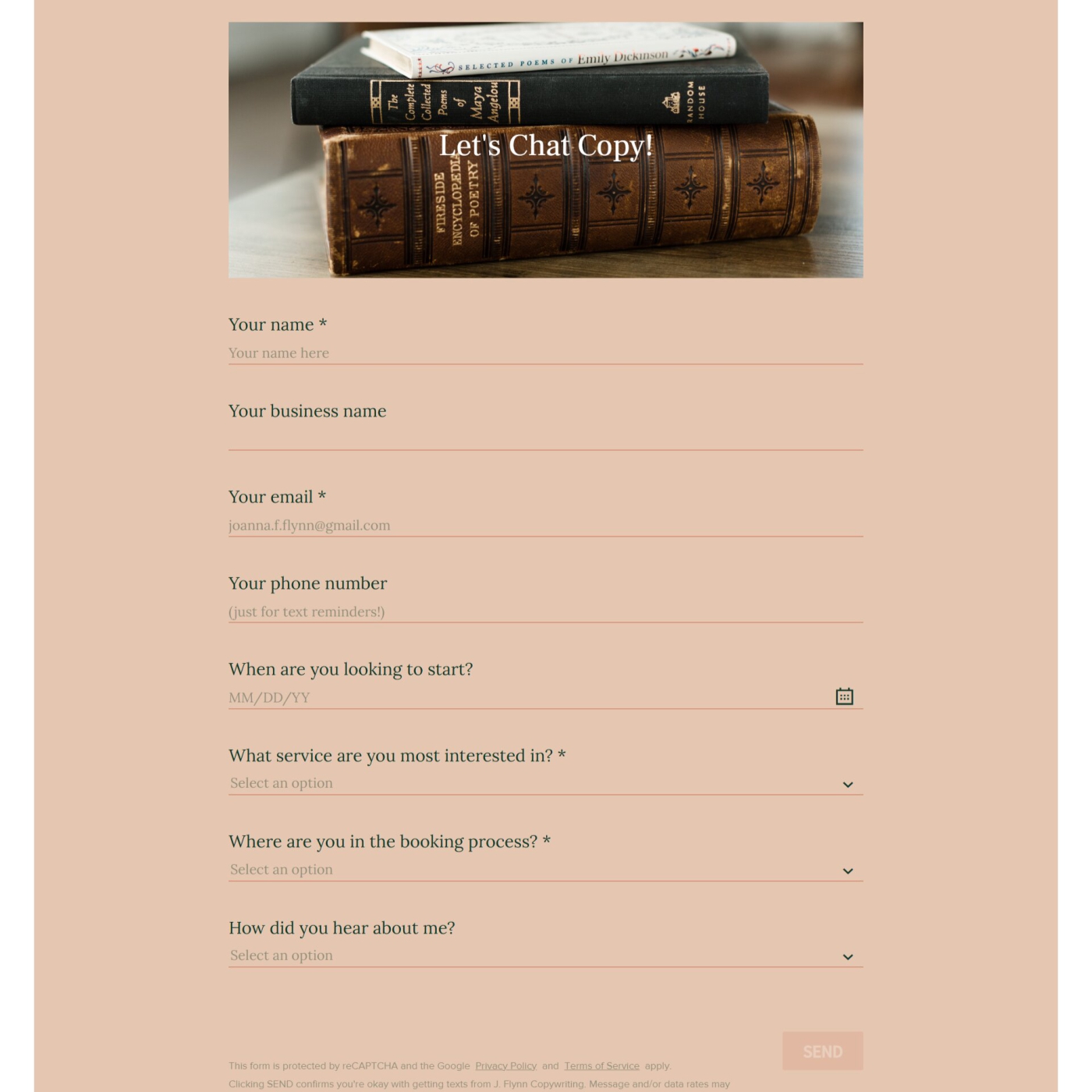
All my packages include professional lead form design, strategic question selection, beautiful on-brand forms, field mapping that actually works, automated response sequences, and built-in lead qualification. Whether you want a semi-custom or fully bespoke CRM setup, I would be thrilled to work with you! Explore my Dubsado and Honeybook services and fill out my calling card (aka, my lead capture form) to discuss forms, CRM builds, and more!
